Metadata matching using MusicBrainz either automatically or manually
The MusicBrainz database of over five million tracks can be used to retrieve information about your track such as the li, artist, album artist and what type of release the album is (E.P, compilation, single, soundtrack ...).
Manual matching gives you full control, this is especially useful if you are dealing with multiples release of a song and it is important for you to get the correct release. For example you may have a single version of a track rather than an album version, and want to ensure it is matched against the single version.
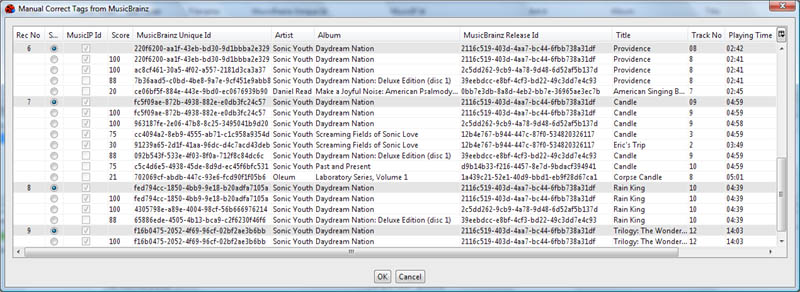
The full list of metadata currently retrieved is as follows:
- Artist
- Album
- Album Artist
- Sort Artist
- Sort Album Artist
- Title
- Year
- Track No
- Is Compilation
- Amazon Id
- Artwork
- MusicBrainz Unique Id
- MusicBrainz Artist Id
- MusicBrainz Release Id
- MusicBrainz Release Artist Id
- MusicBrainz Disc Id
- Release Type
- Release Status
- Release Country
- Label
- Barcode
- Catalog No
- Media
- Lyricist
- Conductor
- Remixer
- Release Discogs Url
- Release Wikipedia Url
- Release Official Url
- Sort Composer
As MusicBrainz and Jaikoz develops even more information will be retrieved. Matching aginst MusicBrainz can either be fully automatic or you can select which tracks to match from a selection of possible matches.