Problems solved by Jaikoz
We have selected a few problems that have been experienced when trying to manage our music collection with other Tag Editors and show how Jaikoz solutions make things easier.
I have lost the metadata from my files
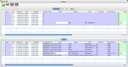 Jaikoz lets you lookup metadata from the MusicBrainz Database, the lookup can be done based on the actual music within the file so you do
not need to have any existing metadata.
Jaikoz lets you lookup metadata from the MusicBrainz Database, the lookup can be done based on the actual music within the file so you do
not need to have any existing metadata.
I want to correct numerous files, I haven't the time to correct them album by album
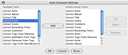 Jaikoz allows you to load files from different albums and directories at the same time. The AutoCorrecter can
improve your data significantly with one click.
Jaikoz allows you to load files from different albums and directories at the same time. The AutoCorrecter can
improve your data significantly with one click.
I want to edit a field for all my files but it is hidden away and I have to go through several screens to access it
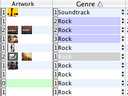 In Jaikoz all fields are created equal. If it is possible for the user to enter information the field is available.
All fields can be displayed and columns sorted, even multiple values fields
In Jaikoz all fields are created equal. If it is possible for the user to enter information the field is available.
All fields can be displayed and columns sorted, even multiple values fields
I have some files by a particular artist, however the files have come from different sources and the meta information is a bit different.
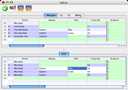 Jaikoz uses a special algorithm called AutoMatch to detect values that although slightly different actually mean the same thing, then all the values are automatically changed to the most popular value. It can then use AutoFormat to change features such as capitalization.
I have some files that are named correctly but there does not appear to be any tag information so they are not listed in my player which relies on the tags.
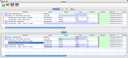 Jaikoz allows you to extract info from the filename into the tag, but unlike other editors there is no need to specify
the format of the filename. Jaikoz uses a intelligent search algorithm to work out the most likely parts of the filename
it then cross references against the other files you have loaded
Jaikoz allows you to extract info from the filename into the tag, but unlike other editors there is no need to specify
the format of the filename. Jaikoz uses a intelligent search algorithm to work out the most likely parts of the filename
it then cross references against the other files you have loaded
My files tags contain two artists that appear to be the same but my Music Player does not group them together
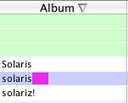 Sometimes values contain nondisplayable characters or extra space or tab characters at the end of the field. Jaikoz highlights the actual value so you can see any hidden characters.
I can see values in my Tag Editor that don't seem to exist in your MP3Player or vice versa
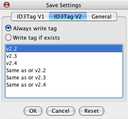 There are a number of different Tag versions which may/may not be supported by different players and editors. Jaikoz supports all ID3 tags and automatically merges the v1 and v2 tags in the edit fields giving you the maximum information.
Trying to change a number of values automatically but I make a mistake and have to undo all my changes
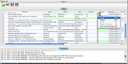 Jaikoz split view means you can always compare the original value of a field with the currently edited value and revert back to the original value. The actual MP3 Files are only modified when you select save changes.
I want to store my music files in a directory based upon the tagname
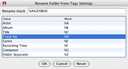 The Filename and Directory are displayed within the spreadsheet view and can be edited directly like the other fields. Furthermore the Correct Directory from Tags option allow you to specify a format mask and generate a directory structure from the tag information, there is also a Correct Filename from Tags option.